Surfshark Launches Scam Call Protection for Android and iOS Users
Surfshark's new scam call protection checks unknown callers against a scam-number database. It can block them on Android and labels them on iPhone. It comes with One and One+, not Starter.
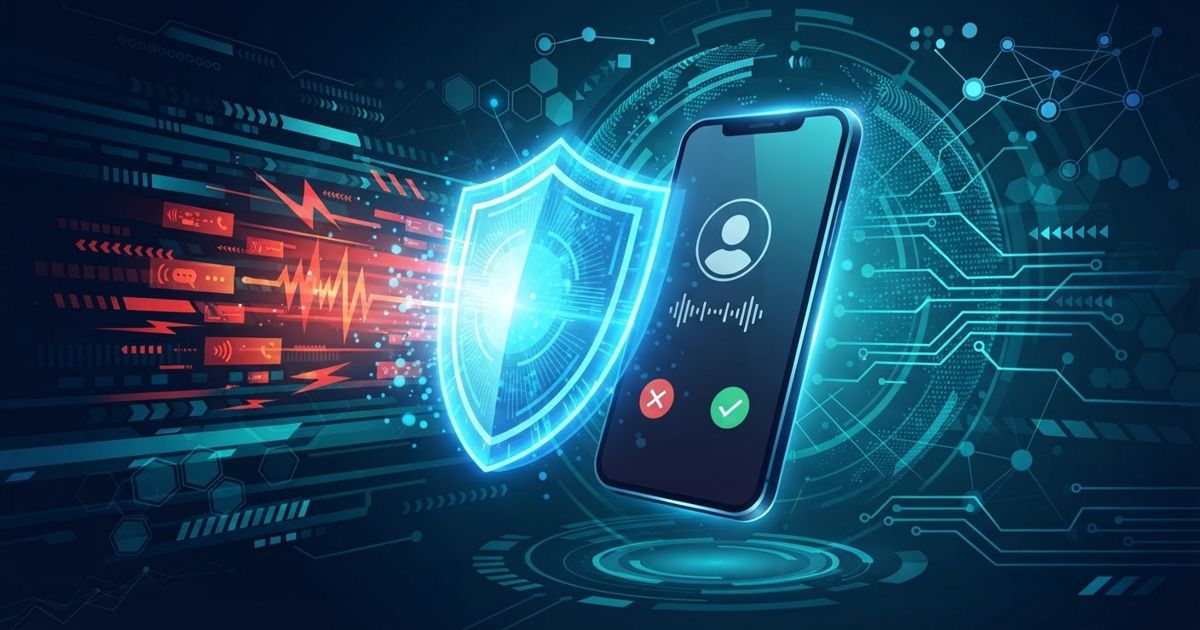
Table of contents
- What Surfshark's scam call protection actually does
- iOS vs Android at a glance
- Which plans include it
- Where it fits with scam text protection and Alert
- Why phone scams are worth a dedicated filter
- The limits to know before relying on it
- Black Friday pricing and the KPMG no-logs report
- FAQ
- Bottom line
- Sources and further reading
On November 23, 2026, Surfshark announced that scam call protection is rolling out to its apps on Android and iOS. The feature checks incoming calls from unknown numbers against a database of known scam numbers and warns you before you answer. On Android it can also block the call. It belongs to the Surfshark One and One+ bundles. The VPN-only Starter plan does not include it.
What Surfshark's scam call protection actually does
According to Surfshark's announcement, when an unknown number calls, the app looks the number up in a database of known scam phone numbers as the call comes in. There's no AI listening in. Surfshark says the feature doesn't record your conversations, doesn't monitor private calls and doesn't use your personal data to train AI models. What it does is match numbers, which is how traditional caller-ID spam filters work too.
What happens after a match depends on your phone, because Apple and Google allow apps to handle calls in different ways:
- iOS: a notification on the incoming-call screen labels the caller as a likely scam, telemarketing, healthcare, utility, government or fundraising call. You still decide whether to pick up.
- Android: the app looks for likely scam and marketing calls. You can have them blocked automatically before the phone rings, or set the app to warn you only.
After you switch it on, Surfshark says the feature runs in the background and checks every incoming call.
iOS vs Android at a glance
| iOS | Android | |
|---|---|---|
| How it checks calls | Number lookup against Surfshark's scam-number database | Number lookup against Surfshark's scam-number database |
| Call categories | Scam, telemarketing, healthcare, utility, government, fundraising | Scam and marketing |
| What you see | Label on the incoming-call screen | A warning, or the call is blocked |
| Automatic blocking | Not described by Surfshark | Yes, if you choose it (before the phone rings) |
| Records or analyzes call audio | No (per Surfshark) | No (per Surfshark) |
The iOS version also labels legitimate callers such as utilities and government agencies. Many unknown calls are real, and a scammer pretending to be your bank or a government office won't match the labeled number of the real one.
Which plans include it
Surfshark's plan comparison table lists scam call protection as included in One and One+ and not included in Starter. It sits in the same group as the other scam tools that Starter doesn't get:
| Feature | Starter | One | One+ |
|---|---|---|---|
| VPN, ad blocker, Alternative ID | Yes | Yes | Yes |
| Scam call protection | No | Yes | Yes |
| Scam text protection (SMS/smishing) | No | Yes | Yes |
| Email scam checker | No | Yes | Yes |
| Web content blocker | No | Yes | Yes |
| ID, credit card and personal data leak alerts (Alert) | No | Yes | Yes |
| Data removal (Incogni) and identity theft coverage | No | No | Yes |
When we checked on launch day, Surfshark's pricing page still showed a "Coming soon" tag on the scam call protection row, but the blog post says the rollout has started. To turn it on, open the Surfshark app, enable Scam call protection, and grant the permissions it asks for.
Where it fits with scam text protection and Alert
Surfshark says it built the feature because scams "follow you across email, text, and now voice." Each of those channels now has its own tool in the One bundle:
- Email scam checker: uses AI to analyze an email's content and sender details for phishing.
- Scam text protection: detects SMS scams (smishing) before you interact with the message.
- Scam call protection: the voice channel, covered in this article.
- Surfshark Alert: watches for your email addresses, IDs, card details and other personal data showing up in breaches.
Alert and the call feature work on different stages of a scam. Leaked phone numbers and personal details are what make targeted calls possible. Alert tells you your data is out there, and call protection deals with the calls that may follow. We covered the SMS side when it launched:
Read about Surfshark's scam text protection
Why phone scams are worth a dedicated filter
The FTC's figures explain why call filters matter. In testimony to Congress on March 25, 2026, the FTC said consumers filed 3 million fraud reports in 2025 and reported $15.9 billion in losses, up from over $12 billion in 2024. In a June 2026 release, the FTC said imposter scams were the most-reported fraud type, at nearly one in three fraud reports, with $3.5 billion in reported losses. Government impersonation alone accounted for about $920 million, up from $789 million. The FTC lists phone calls among the ways these scams reach people.
Phone calls are not the most common way scams start, but they often cost victims the most. In its Protecting Older Consumers 2025–2026 report to Congress (October 19, 2026), the FTC said adults 60 and over reported a median loss of $3,000 on frauds that started with a phone call. Frauds that started on social media had a median of $599. For people 80 and over, phone calls produced far more loss reports and far higher losses than any other contact method. Government imposters accounted for 41% of older adults' reported phone-fraud losses. Callers commonly posed as Medicare, banks, Amazon and the FTC.
The limits to know before relying on it
- It only catches numbers already in the database. A brand-new or spoofed number that isn't listed yet won't be flagged. The feature reduces risk. It doesn't remove it.
- On iOS it warns rather than blocks. Surfshark describes iOS labels, not automatic call blocking.
- Surfshark hasn't said which countries are covered. The post doesn't say whether the scam-number database is equally complete outside major markets, so expect results to vary by country.
- Starter subscribers don't get it unless they upgrade to One or One+.
- Permissions are required. The app needs call-related permissions to screen calls. Those are the permissions you'd expect a call filter to need, but it's worth knowing before you grant them.
Black Friday pricing and the KPMG no-logs report
The launch falls during Surfshark's Black Friday promotion. On launch day, its pricing page showed the 2-year Surfshark One plan at 88% off with 3 extra months, at the same monthly rate as Starter. Starter was listed at 87% off. We covered the offer and its fine print separately:
See the Surfshark Black Friday 2026 deal
Separately, on November 12, 2026, Surfshark published a KPMG assurance report under the ISAE 3000 standard. The report checked whether its VPN servers collect user-activity logs, how temporary login data is stored and deleted, and whether its usage analytics match its privacy policy. The audit covers the VPN, not the new call feature.
FAQ
Does Surfshark scam call protection work on iPhone?
Yes. On iOS it labels incoming calls from unknown numbers as possible scam, telemarketing, healthcare, utility, government or fundraising calls on the incoming-call screen. Surfshark doesn't describe automatic blocking on iOS. That option is only described for Android.
Is scam call protection included in Surfshark Starter?
No. Surfshark's plan comparison lists it as included in Surfshark One and One+ and not included in Starter.
Does Surfshark listen to or record my calls?
Surfshark says the feature doesn't record conversations, doesn't monitor private calls and doesn't use personal data to train AI models. It checks the caller's number against a database of known scam numbers.
Can it stop every scam call?
No. It flags numbers already in its database, so new or spoofed numbers can get through. Treat it as a first filter. If a caller claims to be your bank or a government agency, hang up and call back on the number from the official website.
How do I turn it on?
Open the Surfshark app on your phone, enable Scam call protection, and follow the on-screen steps to grant the permissions it needs. It then runs in the background.
Bottom line
Scam call protection gives Surfshark One a tool for each of the main scam channels: email, text and voice. It's a database filter, so it won't catch every new number. On Android it can block known scam numbers before the phone rings. On iPhone it labels them on the incoming-call screen. Starter subscribers who want it need to upgrade, and Surfshark hasn't yet said which countries the scam-number database covers well.
Sources and further reading
Sources
- Surfshark: Scam call protection now available on iOS and Android (Nov 23, 2026) surfshark.com
- Surfshark: Pricing and plan comparison (Starter, One, One+) surfshark.com
- Surfshark: KPMG verifies our no-logs policy (Nov 12, 2026) surfshark.com
- FTC: FTC Testifies before the Joint Economic Committee on Agency's Efforts to Combat Fraud (Mar 25, 2026) ftc.gov
- FTC: FTC Data Show People Reported Losing $3.5 Billion to Imposter Scams in 2025 ftc.gov
- FTC: Protecting Older Consumers 2025–2026, report to Congress (Oct 19, 2026) ftc.gov