VPNs vs Firewalls vs Password Managers: Which Tool Solves Which Problem?
A VPN, a firewall, and a password manager protect three different things: traffic, connections, and credentials. Here is which tool solves which problem, and why you need all three.
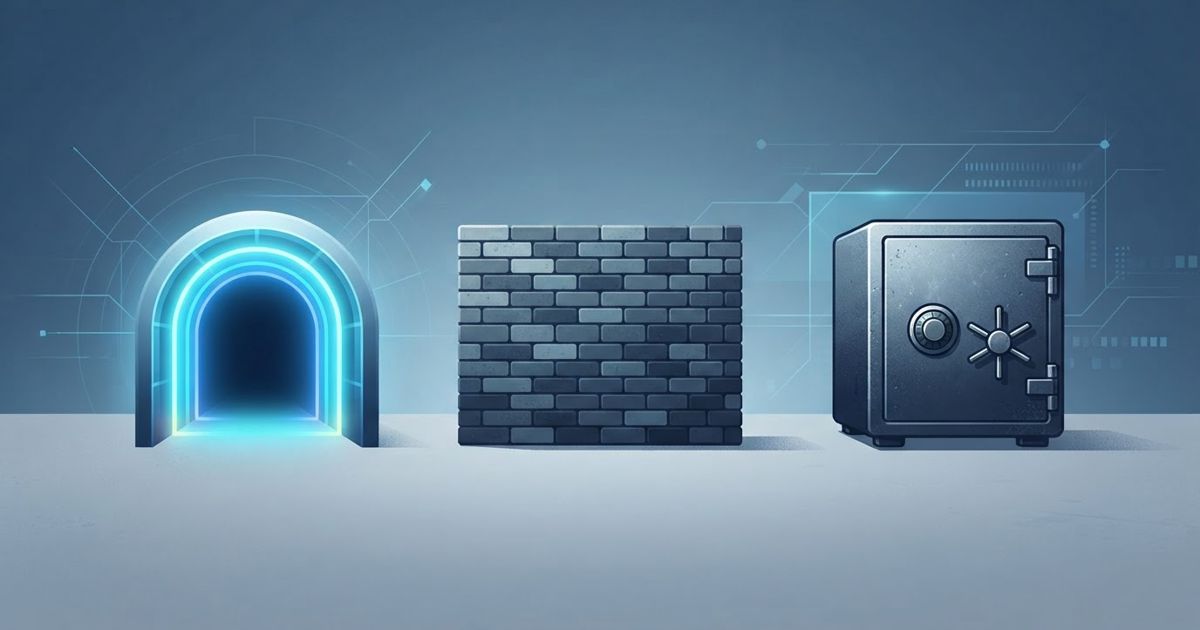
Table of contents
A surprising amount of bad security advice comes from treating three very different tools as interchangeable. A VPN, a firewall, and a password manager all get filed under "stay safe online," so people buy one, feel protected, and leave the other two gaps wide open. They are not substitutes. Each solves a distinct problem at a distinct layer, and the reason to own all three is that none of them overlaps enough to cover for another. This guide explains which tool solves which problem, where each stops, and how to combine them.
The One-Line Definitions
- VPN (Virtual Private Network): encrypts your traffic between your device and a VPN server and hides your IP address. It protects privacy in transit — what the local network and the destination site can see about your connection and location.
- Firewall: controls which network connections are allowed in and out of your device or network, by rules. It protects against unwanted or malicious connections — blocking inbound probes and restricting what programs may talk to the internet.
- Password manager: generates, stores, and autofills a unique strong password for every account. It protects your credentials and accounts — making each login distinct so one leak cannot unlock the rest.
Notice that the object each protects is different: traffic, connections, and credentials. That is why one cannot replace another.
What Each Tool Actually Does — and Where It Stops
VPN: privacy on the wire
A VPN wraps your connection in an encrypted tunnel (using protocols like WireGuard or OpenVPN) so anyone on the local network — open Wi-Fi, your internet provider — sees only encrypted traffic to a VPN server, and the sites you visit see the server's IP instead of yours.
Where it stops: a VPN does not stop malware, does not block a hacking attempt against your device, and crucially does not fix stolen passwords or remove infostealer software. If your credentials are already in a breach dump or were harvested from your own machine, the tunnel is irrelevant. A VPN is privacy, not endpoint security.
Firewall: gatekeeping connections
A firewall enforces rules about which connections are permitted. A host firewall (built into Windows and macOS) blocks unsolicited inbound connections and can restrict which applications reach the internet; a network firewall on your router does the same for the whole household.
Where it stops: a firewall does not encrypt anything, does not hide your IP, and does not protect a password. It also cannot help much against traffic you invited — if you run a malicious installer that "phones home" on an allowed port, a basic firewall waves it through. It guards the doors; it does not vet who you let in.
Password manager: account integrity
A password manager solves the human problem behind most account takeovers: reused and weak passwords. It creates a long random password per site, stores them in an encrypted vault behind one master secret, and autofills them — which also resists phishing, because it will not autofill on a look-alike domain.
Where it stops: it does nothing for network privacy and nothing to block connections. It cannot stop a breach at a company's server; it limits the blast radius when one happens, because the leaked password unlocks only that one account.
The Comparison at a Glance
| Capability | VPN | Firewall | Password manager |
|---|---|---|---|
| Encrypts traffic in transit | Yes | No | No |
| Hides your IP / location | Yes | No | No |
| Blocks unwanted inbound connections | No | Yes | No |
| Limits what apps can phone home | No | Yes (with rules) | No |
| Creates unique passwords per site | No | No | Yes |
| Limits damage from a data breach | No | No | Yes |
| Resists phishing on fake domains | No | No | Yes (autofill match) |
| Removes malware / infostealers | No | No | No |
| Fixes already-stolen passwords | No | No | No (but contains the damage) |
The last two rows matter most: none of these three tools removes malware or undoes a leak. That job belongs to anti-malware software plus prompt password rotation — a fourth layer entirely.
Why You Need More Than One
Map a single realistic incident across the tools and the gaps become obvious. You join café Wi-Fi (VPN protects that traffic). You reuse a password that later leaks in a breach (only the password manager limits the fallout). Your laptop catches an infostealer from a fake download (only anti-malware addresses that; the VPN happily tunnels the stolen data out, and the firewall may permit the outbound call). No single tool was wrong — each simply covers a different slice of the same day.
This is the core idea of defense in depth: layers that fail independently, so a gap in one is caught by another. Buying only a VPN because it is the most marketed of the three leaves your credentials and your connections unguarded. For the closely related antivirus angle, our companion comparison goes deeper.
VPN vs Antivirus vs Password Manager
How to Choose and Combine Them
- Everyone: a password manager and 2FA (or passkeys) first — this is the highest-impact, lowest-cost layer, and it is the only one that contains a breach.
- Keep your built-in firewall on, on every device and your router. You likely already have one; the win is simply not disabling it and reviewing which apps you allow.
- Add a VPN for network privacy — untrusted Wi-Fi, hiding your IP from sites and your provider, travel, and region access. Choose it on audited no-logs evidence and real performance, not slogans.
- Add anti-malware as the layer that actually catches infostealers, since none of the three above does.
If a VPN is the piece you are missing, pick one that has been independently audited and tested rather than the loudest brand. Our roundup compares the leading options on speed, privacy, and value.
See the best VPN services compared
FAQ
Do I need a VPN if I already have a firewall?
Yes — they solve different problems. A firewall blocks unwanted connections but does not encrypt your traffic or hide your IP. A VPN does the privacy job a firewall cannot.
Can a password manager replace a VPN?
No. A password manager protects your accounts; it does nothing for network privacy. They are complementary, not alternatives.
If I have all three, am I fully protected?
No single set of tools makes you "fully protected." These three cover transit privacy, connection control, and credential integrity — but you still need anti-malware and good habits, since none of them removes infostealers or fixes a password already stolen.
Which one should I get first?
A password manager with unique passwords and 2FA. It is cheap (often free), and it is the only one of the three that limits the damage when a service you use is breached.
Does a VPN make a firewall unnecessary?
No. A VPN encrypts outbound traffic but does not govern which inbound connections reach your device. Keep your firewall enabled alongside a VPN.
Bottom Line
A VPN protects traffic in transit, a firewall governs which connections are allowed, and a password manager keeps your credentials unique and contained — three different jobs at three different layers. None removes malware and none undoes a leak, which is why the right answer is rarely "pick one." Layer them, add anti-malware, and choose each on evidence rather than on which had the catchiest ad.
Sources and further reading
Sources
- OWASP: Defense in Depth (security principle) owasp.org
- Cybernews: 16 billion passwords exposed in record-breaking data breach cybernews.com